
Real RoundRun app screens
Your one stop shop to run your business.
Explore the real screens behind the whole working day: planning, jobs, intelligent routes, rounds, completion, payments, reports, Ask AI and customer texts. Open a section, then choose exactly what you want to see on the phone.
Current RoundRun beta screens · demonstration data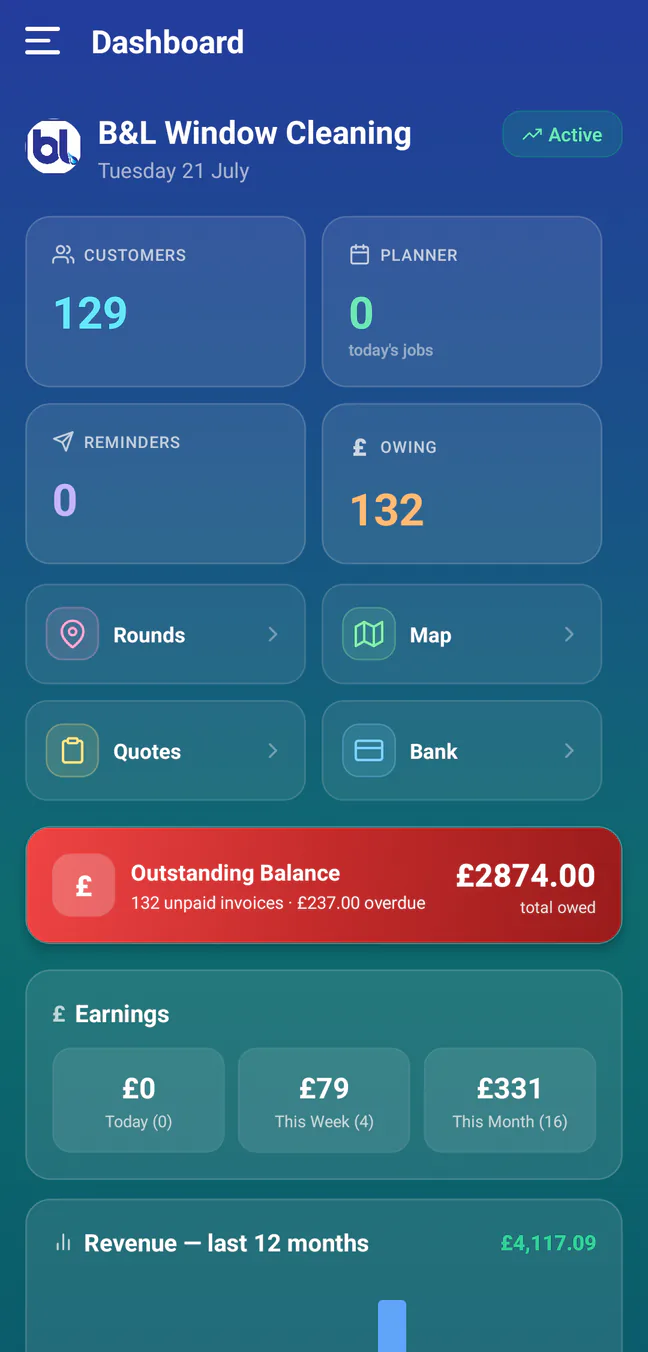
Demo business data is shown so no live customer account is exposed.
The complete app · screen by screen
Everything folds into the part of the business you are working on.
Open a section, then hover, focus or tap a screen name. The phone changes to the real RoundRun screen so you can follow the complete plan, work and get-paid loop.
01DashboardStart with the whole business
Customers, today’s work, reminders, money owed, shortcuts and earnings in one first glance.
02Planner & jobsPlan the month and run today
Move from the working day to the month overview, expand every job into the draggable planning canvas and open a customer without losing your place.
03Maps & route intelligenceUnderstand the route, not just distance
See numbered stops, compare complete rounds and use road-aware ordering alongside the local knowledge only you have.
04Rounds & customersKeep recurring work organised
Compare recurring revenue, growth and measured hourly rate, then use optional Smart Rounds suggestions to test a more efficient shape before anything changes.
05PaymentsSee what is owed and follow it through
Keep owing customers, invoices, reminders and bank matching together, so completed work can be followed all the way through to payment.
06Reports & Ask AIAsk the business a real question
Review pricing, customer risk, earnings and cash collection, then ask for the answer or export you need in plain English.
07Customer textsPrepare, send and check messages
Prepare customer messages, reuse useful fields and keep a saved note for each customer—such as “don’t forget the gate” or “cash under the plant pot”. The personal note can be included without changing the shared template for everyone else.


Dashboard · the whole business at a glance
Real app screen · demo business dataWhat makes it different
The screens share one working context
RoundRun is not trying to win with a longer checklist. The useful difference is the loop between screens: a round becomes a dated plan; the plan becomes an ordered map; completing work updates invoices, balances and reports; those balances feed payment reminders.
The daily planner keeps route colour, progress, price, money owed, messages, weather and remaining work visible together. That reduces the repeated opening and closing of separate records while working from a phone.
Test the complete loop
Use a copy of your round first
RoundRun is in beta. Import a small sample, compare the screens with the way you already work, and keep the original export untouched.