Group first
Look for isolated pins and repeated travel between the same areas.

Screens 5–6 · Maps
Filter the map by date or round, check numbered stops, adjust the order and then compare two complete rounds before moving work between them.
Real Android beta screens · demo data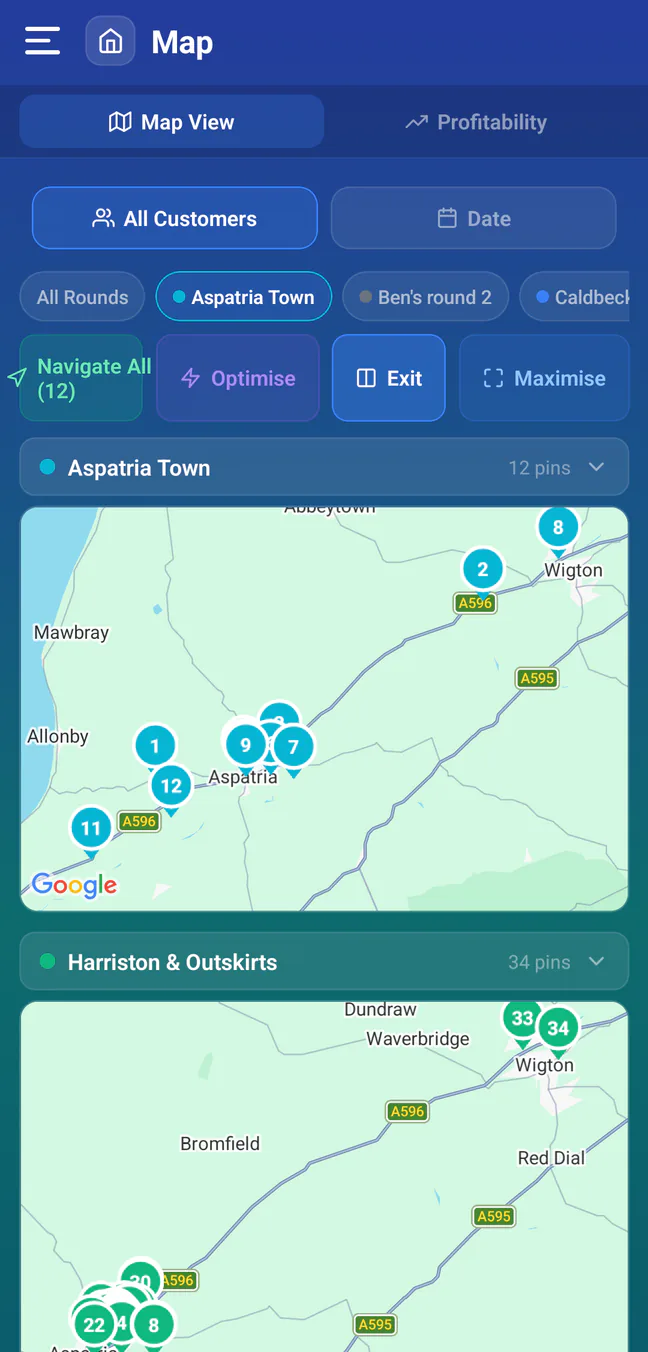
Two local rounds shown at once, each fitted to its own map.
One route or two
A single ordered map helps run the day. Comparison mode helps decide whether two rounds are shaped sensibly.
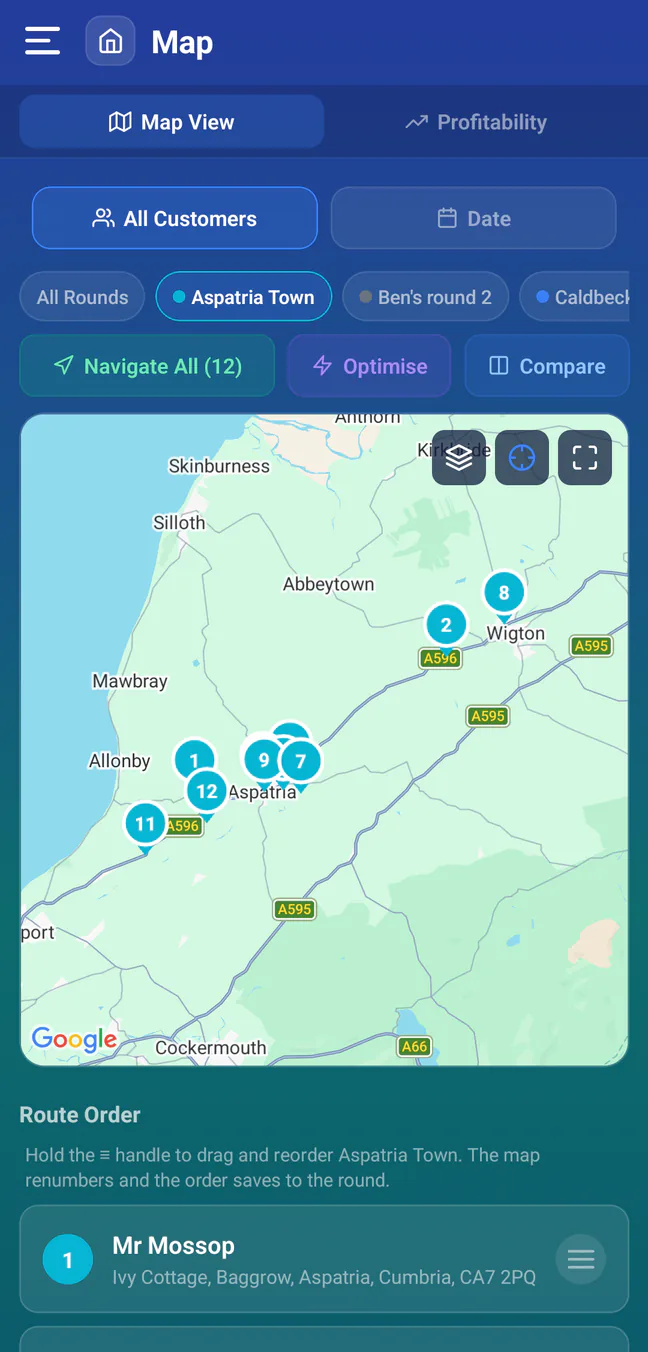
How it functions
A better trial
Software can shorten the order inside a poor route, but it cannot make distant work profitable by magic. Test the round boundaries first, then the stop order.
Look for isolated pins and repeated travel between the same areas.
Compare the suggested route with local restrictions and the way you actually enter each street.
Confirm the app lets you retain manual control for access times and fixed appointments.
Less guesswork between rounds
Start with a copied round, keep your original order and compare the result before changing live work.